19 posts tagged with "Features"

Feature updates and related information.

View All Tags

General product improvements and bug fixes

We're continually improving the product and addressing bugs. Here are a few of the updates we've released recently:

  • Corrected date displays to use localized formats instead of a fixed MM/DD/YYYY format for all English languages.
  • Multiple bugfixes touching almost every parts of Publisher, for example: Screen and channel behavior, Media library issues, Booking calendar display and handling, Templates and group access, UI layout and migration-related behavior, backend and infrastructure stability
  • Support for v10 widgets - widget api and source code editing is now available in v11.
  • Template creator "Fit" mode for the workarea now respect width and height
  • Layers panel visible as default in TC
  • "Do not show this message again" for various confirmation panels

Improved media picker

The media picker, the part of Smartsign 11 that you use to select files from your media library, has undergone some improvements with the main purpose of making it easier to fix bugs and add improvements. Some Improvements included in the recent release are:

  • Multiple bugfixes related to uploads, statuses and updates of files
  • It is now possible to open media details from within the media picker
  • When selecting a screen layout, the screen layout folder is automatically opened.
  • It is now possible to add folder directly in the media picker

Minor bugfixes and more improvements for the media picker are planned for future releases.

Scrolling text in Template Creator (Beta)

We've added scrolling text capabilities to Template Creator , allowing longer messages to be displayed in a compact and continuous format. This allowing for example RSS-feeds too be displayed in a news-ticker style in Templates and layouts, long texts from social media datasources to be scrolled verticaly, and much more. This Is a beta feature and is intended for early use and validation. Core functionality is expected to work as designed, but some cases and hardware may result in unexpected behavior.

One of four behaviours can be selected when adding a text are in a template :

  • Hidden - Existing option
  • Resize text to fit - Existing option
  • Vertical scroll - New option
  • Horizontal scroll- New option
  • The vertical scrolling option loops text smoothly from top to bottom
  • The horizontal scrolling option scrolls text continuously from right to left, similar to a news ticker.
  • Support for dynamic text sources, scrolling each item in sequence before restarting the loop.
  • Automatic normalization of horizontal scrolling text, removing line breaks and displaying content as a single continuous line.
  • Five predefined speed settings for both modes: Very Slow, Slow, Medium (default), Fast, and Very Fast.

The feature is available now in Template Creator, requires no additional configuration beyond selecting the desired overflow behavior, and works across all hardware supported by Smartsign 11.

Player update (firmware)

Player update (firmware)

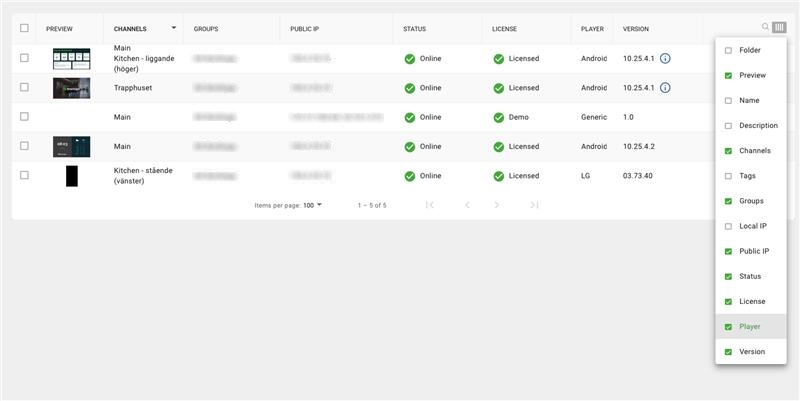
Users can update the player of a selected screen directly through a menu option in the screen list. The update option is only visible when a new firmware version is available and when the user has permission to upgrade players. Before starting an update, a confirmation dialog shows the firmware name and version. Once the update is initiated, a snackbar notification confirms that the request has been sent. The actual player updates are identical too Publisher 10, there are no difference in firmware versions et.c.

A optional column, "Firmware version," is available in the screen list. If an update is available, an ( i ) appears next to the version number with a tooltip indicating "update available." If the player already has the latest version, the tooltip shows "latest version."

Customizable group names in Template Creator

Customizable group names in Template Creator

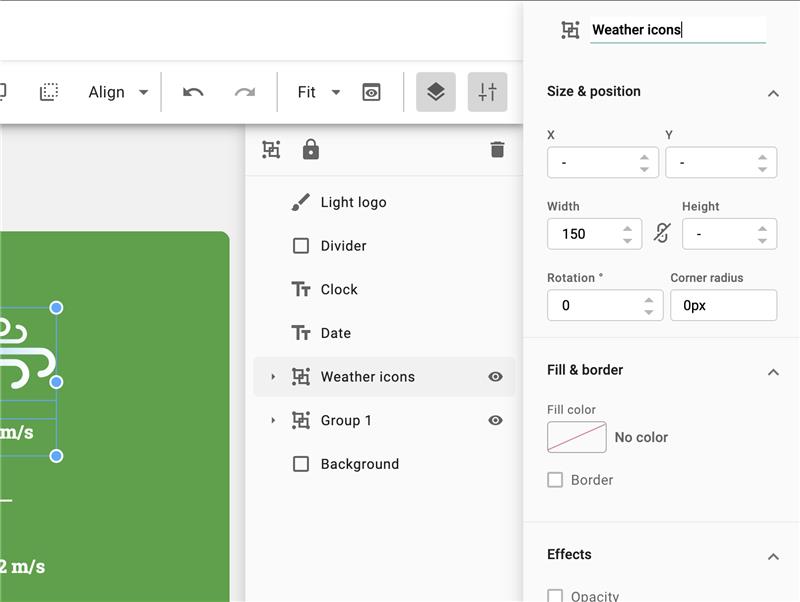
We've added the ability to rename groups in Template Creator to make organizing and managing templates more intuitive.

  • Users can now assign custom names instead of the default Group 1, Group 2, etc.
  • Group names are edited in the right most property panel, like other item names.

This improvement makes group organization clearer and more flexible, especially when working with complex templates. The feature is available now for all Template Creator users and requires no additional configuration.

New POST option for JSON datasources

New POST option for JSON datasources

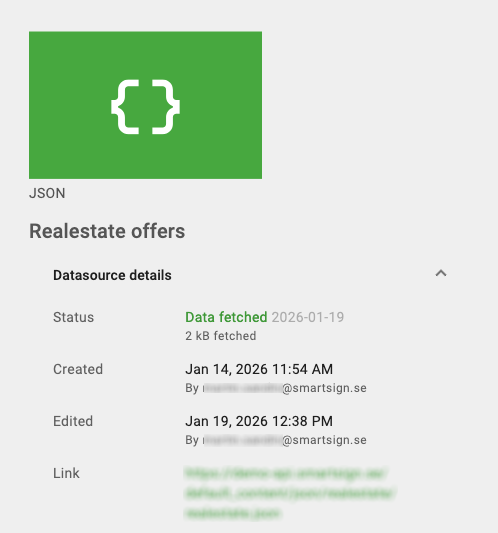
To give users more flexibility when connecting to APIs, JSON datasources now support both GET and POST methods. This makes it possible to fetch data from APIs that require request bodies or POST parameters.

  • A new dropdown is available before the JSON link field with options: GET (default) and POST.
  • When GET is selected, the Body field is hidden and the request is sent as a standard GET request.
  • When POST is selected, a Body (raw) text area appears for entering JSON or text content.
  • Custom request headers continue to work for both methods.
  • If a POST request is sent with an empty body, it remains valid.

This enhancement expands integration possibilities for templates using JSON datasources, as more and more APIs are using POST.

Tag renaming improvement

Tag renaming improvement

We've improved how tag renaming works to ensure tag consistency throughout the system. When a tag name is updated, the change will now automatically apply everywhere the tag is used.

  • On tag save, all instances of the old tag name are replaced with the new one.
  • No manual updates are needed-changes take effect across all linked items.

This update reduces manual work, and minimizes the risk of outdated or mismatched tags when using tags for publishing. The feature is available for all users with tagging permissions and requires no additional setup.

Reports

Reports

We've introduced the report export feature in Smartsign 11, allowing you to export reports for tasks such as analyzing media usage.

  • Accessible under Management › System › Reports
  • Exports data in Excel format
  • User permissions aligned with existing profile settings from the previous Publisher
  • Full functionality replicated from Smartsign 10 for a familiar experience

The report export feature provides a straightforward way to review data. By exporting reports to Excel, avid users can perform deeper analysis and create visualizations using Excel's diagram features. This feature is available to all users with the appropriate permissions.

“Changed By” column in booking list view

Changed By column in booking list view

We've added an optional "Changed By" column to the booking list view to provide better insight into content updates. This makes it easier to see which user last modified a media item. The column can be added directly from the booking list's column settings.