Customizable group names in Template Creator

Customizable group names in Template Creator

We've added the ability to rename groups in Template Creator to make organizing and managing templates more intuitive.

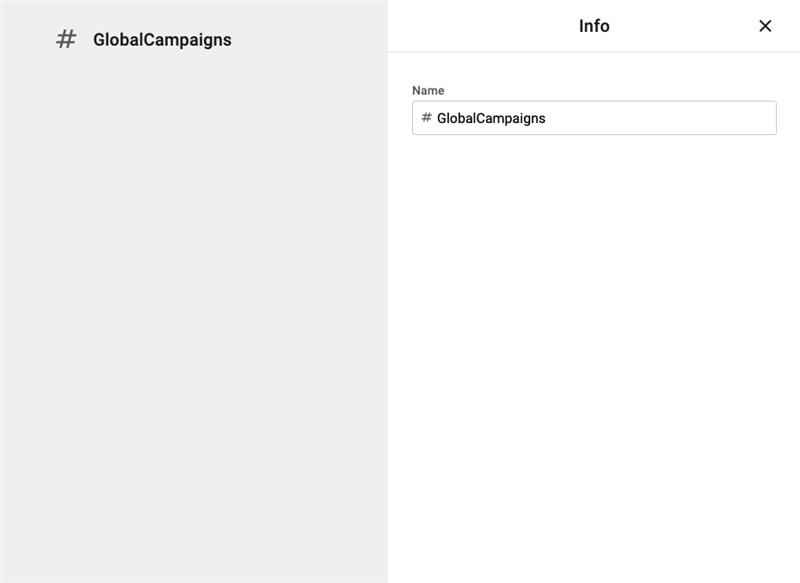
  • Users can now assign custom names instead of the default Group 1, Group 2, etc.
  • Group names are edited in the right most property panel, like other item names.

This improvement makes group organization clearer and more flexible, especially when working with complex templates. The feature is available now for all Template Creator users and requires no additional configuration.

New POST option for JSON datasources
New POST option for JSON datasources

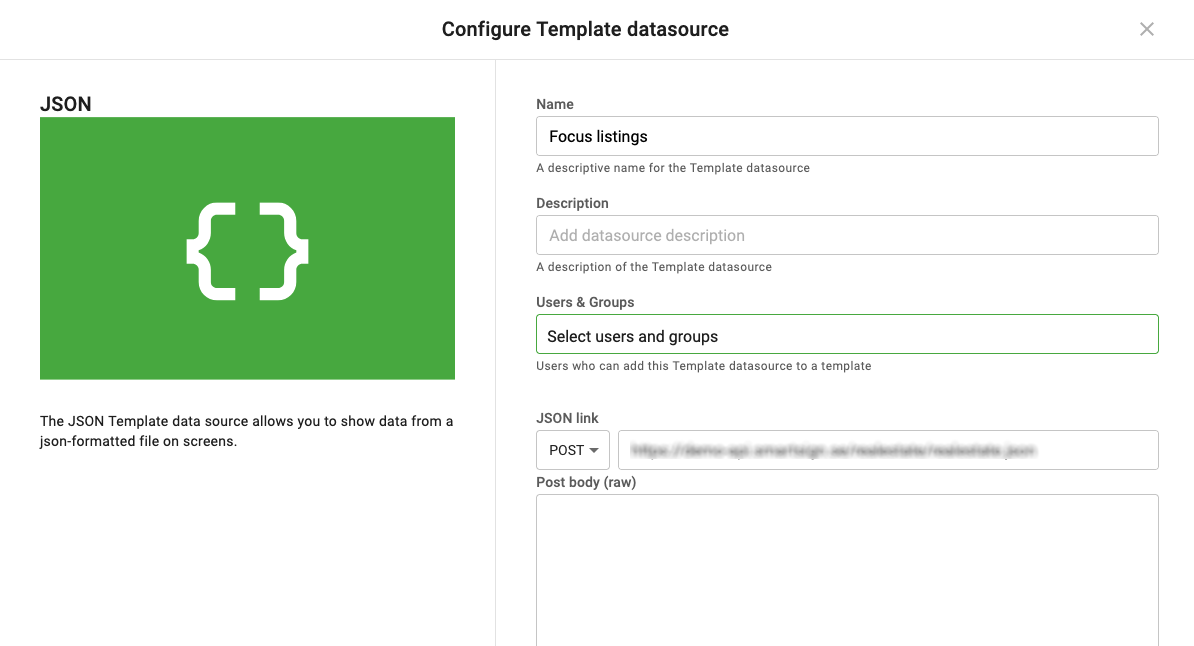
To give users more flexibility when connecting to APIs, JSON datasources now support both GET and POST methods. This makes it possible to fetch data from APIs that require request bodies or POST parameters.

  • A new dropdown is available before the JSON link field with options: GET (default) and POST.
  • When GET is selected, the Body field is hidden and the request is sent as a standard GET request.
  • When POST is selected, a Body (raw) text area appears for entering JSON or text content.
  • Custom request headers continue to work for both methods.
  • If a POST request is sent with an empty body, it remains valid.

This enhancement expands integration possibilities for templates using JSON datasources, as more and more APIs are using POST.
Tag renaming improvement

Tag renaming improvement

We've improved how tag renaming works to ensure tag consistency throughout the system. When a tag name is updated, the change will now automatically apply everywhere the tag is used.

  • On tag save, all instances of the old tag name are replaced with the new one.
  • No manual updates are needed-changes take effect across all linked items.

This update reduces manual work, and minimizes the risk of outdated or mismatched tags when using tags for publishing. The feature is available for all users with tagging permissions and requires no additional setup.

Reports

Reports

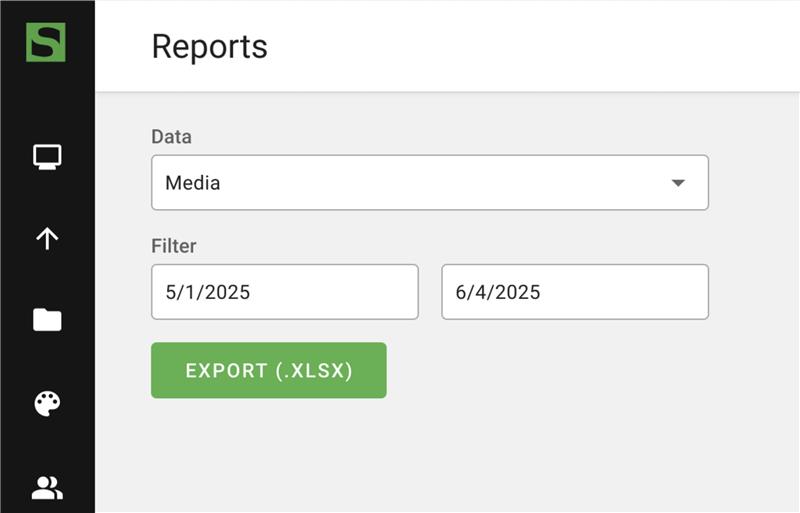
We've introduced the report export feature in Smartsign 11, allowing you to export reports for tasks such as analyzing media usage.

  • Accessible under Management › System › Reports
  • Exports data in Excel format
  • User permissions aligned with existing profile settings from the previous Publisher
  • Full functionality replicated from Smartsign 10 for a familiar experience

The report export feature provides a straightforward way to review data. By exporting reports to Excel, avid users can perform deeper analysis and create visualizations using Excel's diagram features. This feature is available to all users with the appropriate permissions.

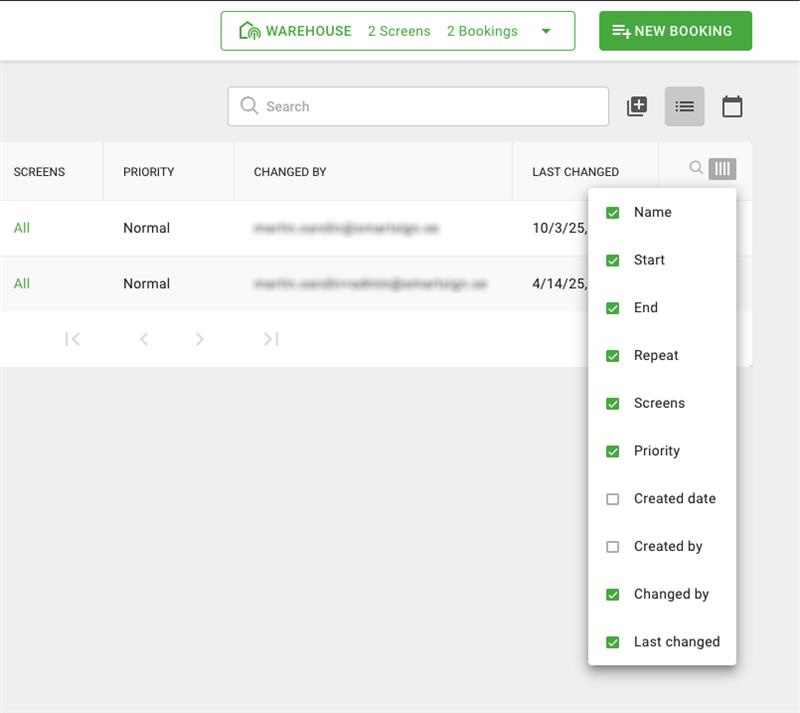
“Changed By” column in booking list view

Changed By column in booking list view

We've added an optional "Changed By" column to the booking list view to provide better insight into content updates. This makes it easier to see which user last modified a media item. The column can be added directly from the booking list's column settings.

Release Notes 10.25.8 on-premise

General notes

Release date:
2025-10-07 (on-premise)

Download is available by request to support.

Feature level: 10.25.8
Maintenance level: 10.25.8

Important and breaking changes

Valid for 10.24.x vs 10.25.x

New pre-requisite:
.NET Framework 8.0 (hosting bundle)

Deprecated pre-requisites:
.NET Framework 6.0 and 7.0

MongoDB support:
6.0-8.0 (previously 6.0-7.0)

Version 10.24 and up has a new completely rewritten Active Directory implementation using OpenID/OAuth2 and ADFS instead of LDAP. Principles are similar to previous versions, but there are some important changes which you will need to adjust for if you are migrating from the older implementation. Also note that the new integration requires that you configure the server for encrypted traffic with https.

Features, improvements and notable bug fixes

Server

Add support for Windows Server 2025

Fully aligned with cloud as per August 2025

Template Creator

Teams: Add message subject

Players

Improved restart scheduling
Add local IP and MAC address to report

Fix: Legacy snapshots mode not updating images

Samsung Tizen

Add support for Tizen 8.0

Android

Make real screenshots the default

Micro services

Snapshot

Update Microsoft login flow for new M365 portal
Improved browser process cleanup

Installer

Check and set required SQL Compatibility Level automatically

Release Notes 11.25.9

Release date:
2025-09-20 (cloud)

note

These release notes are valid for both version 10 and 11 on the cloud service. Unless specifically noted as a v11 change, you can assume it applies to v10 as well.

Smartsign 11 delivers a completely new User Experience, representing the next generation in digital signage solutions. It's now even easier to design, schedule and publish your content.

Smartsign 11 is a flexible platform for digital signage that fits regardless of industry, number of screens and where they’re located in the world. And as you grow, Smartsign grows with you.

Features, improvements and notable bug fixes

Publisher v11

Entra Auto-provision (AzureAD) available on v11

Booking version history (revisions)
Reports Booking details - Collapsible multi-page items
Screen inactive time visible in calendar
Tags can now be renamed
Various UX Improvements

Template Creator v11

Add Webhook datasource
Add Visibility Condition to JSON datasource
Add support for POST when fetching data
Add Vitec Nyproduktion datasource
Hide/Show object groups
Rename object groups

Players

Add support for Vimeo streams (public only, restrictions apply) [v11]

Android

Fix: Model name not captured in system report

APK 10.25.8 download (latest)
Sharp PN-ME2: Add serial, firmware and model name to system report

Fix: Philips - Content download fails due to power save
Fix: Sony - Correct portrait rotation direction
Fix: Sony - Fix config start rotation loop

Known limitations

The following features are currently not available on version 11

  • File synchronization
  • Schedule by Email
  • Wayfinder
  • Triggers
  • Shared screen
  • Show templates as snapshot

Release Notes 10.25.2 on-premise

General notes

Release date:
2025-05-02 (on-premise)

Download is available by request to support.

Feature level: 10.24.5
Maintenance level: 10.25.x

note

This maintenance release does not include all features of the cloud version with the same version number. However, it provides select fixes, enhancements, and on-premise-specific improvements, as detailed in this and previous on-premise release notes.

Feature level refers to the equivalent cloud version and its available features.
Maintenance level refers to the server on-premise build version.

Important and breaking changes

New pre-requisite:
.NET Framework 8.0 (hosting bundle)

Deprecated pre-requisites:
.NET Framework 6.0 and 7.0

MongoDB support:
6.0-8.0 (previously 6.0-7.0)

Version 10.24 and up has a new completely rewritten Active Directory implementation using OpenID/OAuth2 and ADFS instead of LDAP. Principles are similar to previous versions, but there are some important changes which you will need to adjust for if you are migrating from the older implementation. Also note that the new integration requires that you configure the server for encrypted traffic with https.

Features, improvements and notable bug fixes

Server

Direct Snapshot
Add support for MongoDB 8.0
Offline licensing is now available again

Fix: Improved dependency check on startup
Fix: Media replace not working for Schedule by email
Fix: Add SMTP display name to emails
Fix: Skip CRL check for SMTP
Fix: Remove alert email auto-mapping to admin user
Fix: Old media cleanup doesn't remove media with dependencies

MicroServices

.NET Framework updated to 8.0 for all
Add support for MongoDB 8.0

Publisher

Allow player profile selection on register
Add local IP and MAC address to screens report

Server Installer

Improvements to forms, feedback and tests

Fix: Don't fail if there is no "Default web site"

Players

Samsung Tizen

Add support for Tizen 8.0

Fix: Allow screen to update empty Server URL on server

LG

Add more inputs to PIP
Add support for clock-wise rotation on webOS6.0

Smartsign 11

Release date:
2025-04-15 (cloud)

Smartsign 11 delivers a completely new User Experience, representing the next generation in digital signage solutions. It's now even easier to design, schedule and publish your content.

Smartsign 11 is a flexible platform for digital signage that fits regardless of industry, number of screens and where they’re located in the world. And as you grow, Smartsign grows with you.

Key benefits

  • Setup

    • Reduced setup time and faster onboarding
    • Improved access control
  • Publish

    • Enhanced drag-and-drop functionality
    • New calendar overview
  • Brand

    • Updated options to easier brand, rebrand and stay consistent across all content.
  • Content

    • New creative capabilities
    • More intuitive interface for content creation
  • Marketplace

    • Easily discover and get additional templates, screen layouts and more

Known limitations

The following features are currently not available on version 11

  • Entra Auto-provision (AzureAD)
  • File synchronization
  • Schedule by Email
  • Wayfinder
  • Triggers
  • Booking revision UI
  • Shared screen
  • Show templates as snapshot
  • Reports

How can I try it/buy it?

Contact your reseller or reach out to us directly.

Release Notes 10.24.11

General notes

Release period:
2024-12-04 - 2025-01-13 (cloud)

Features, improvements and notable bug fixes

Publisher

Switch to new report format for individual media statistics
Fix: Media detail fetches too much statistics from database
Fix: Optimize booking list/calendar view

Template Creator

Power BI: Add support to select report page
Fix: Locked templates can sometimes be edited

Server

Add site column to "all sites"-screen report

Players

Direct snapshot mode for URLs - greatly improved efficiency and stability for URL snapshots
Improved connection stability with separated real-time communication
Fix: Full screen and on top does not respect z-index configured on player
Fix: Statistics fallback-cache can cause duplicate statistics

Android

APK 10.24.11 download (latest)
Sharp PN-ME2 Series support
Sony portrait support (requires firmware 6.7630 or later)
Iiama 60-series support
Improve screenshot implementation, video can now be screenshotted on more devices
Improve Player Guardian (watchdog)
Improve handling of zip compressed files
Add setting to disable/enable power save
Add serial number to Iiyama

LG

Improved scheduled restart

Samsung

Add support for SH37C stretch
Fix: 2023 B-series screens showing as SSSP6
Fix: Improve PiP/video switching
Fix: Avoid previous videoframe "sticking" when changing input
Fix: Avoid previous videoframe "sticking" when playing html video
Fix: Memory leak when only showing live URLs

Windows

Version 10.24.5.8 download (latest)
Add incognito mode for external webview
Add support for inactivity trigger
Add optional load url success test with refresh
Enforce TLS1.2 on supported systems
Improved cleanup of temporary files
External webview stability improvements
Improved always on top behavior