Multiple schedules for bookings
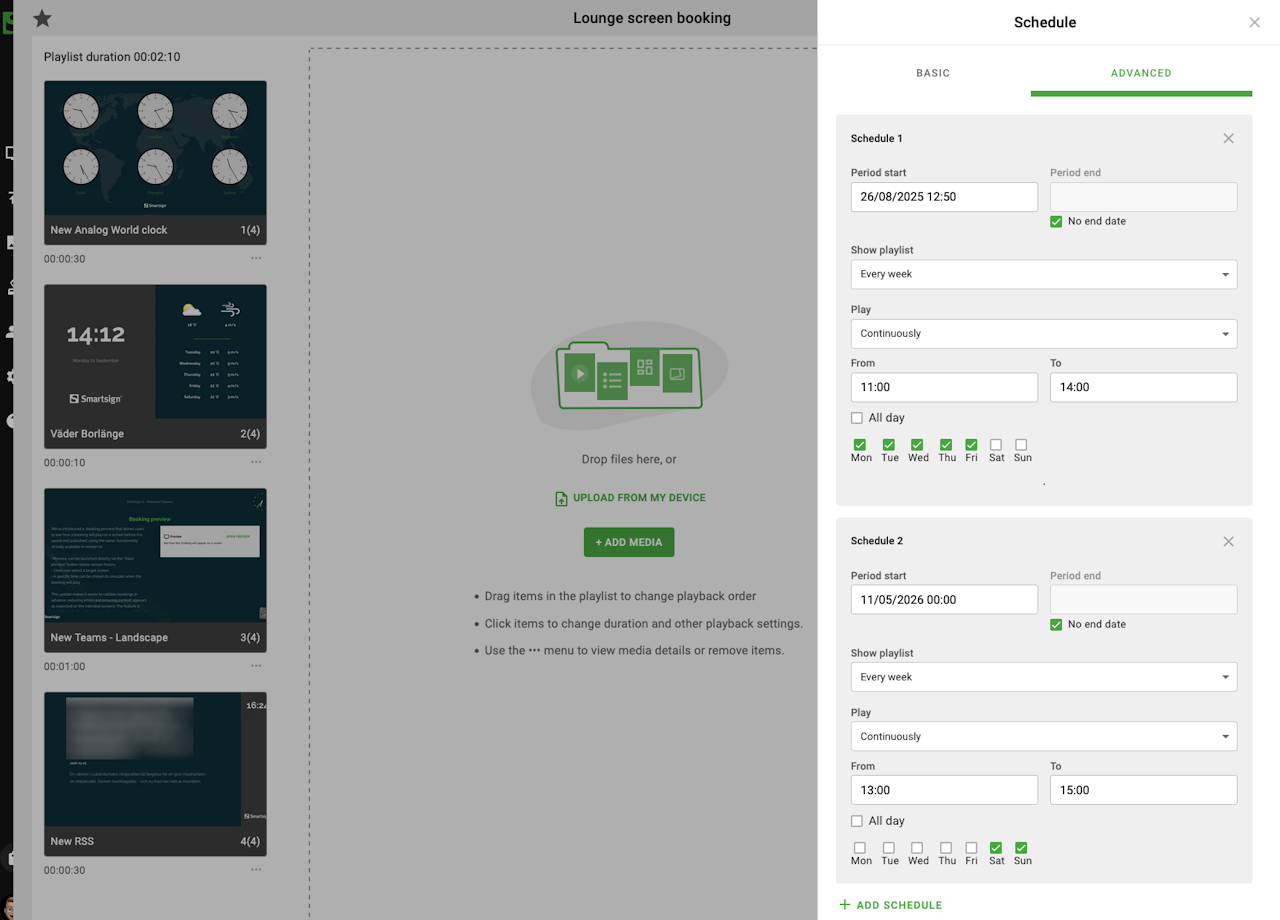
We've updated bookings to support multiple schedules within a single booking, making it easier to plan and manage recurring or distributed playback times.
Example use case: A restaurant can now create one booking for a lunch campaign and schedule it to run during lunch hours on weekdays and different hours on weekends, without needing to create separate bookings.
- Users can now add multiple schedules to the same booking by selecting "Add schedule".
- Each added schedule will be included in both playback and calendar visibility.
- If all schedules are removed, an informational message is displayed to highlight that no schedules remain.
The functionality is now available in the booking workflow and requires no additional configuration.