Active time improvements – Sleep on Empty Schedule
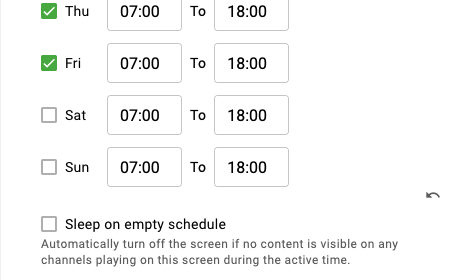
Normally, a screen's on and off times are controlled by Active Time settings. This is the preferred way to manage screen activity because it's an easy way to save energy and ensures that content mistakenly scheduled outside of intended display hours is not shown, and when screens are used in locations with different operating hours, users do not need to create specific bookings to control when screens turn on or off. Instead, they can create all-day bookings, and the screen will automatically turn on and off according to the configured Active Time.
However, in some cases a location may have irregular or frequently changing hours, and users may prefer the screen to turn on only when content is scheduled.
The Sleep on Empty Schedule setting allows the screen to turn off when no content is scheduled to play on any of the channels assigned to the screen.
- Sleep on Empty Schedule - Turns off the screen if nothing is scheduled to play on any channel available on the screen during active hours.
- To allow scheduled bookings to fully control the screen's active time, Active Time can be set to 00:00-00:00.
With this setup, the screen will turn on only when there is scheduled content and will automatically turn off when the schedule is empty.