Active time improvements – Override screen active time
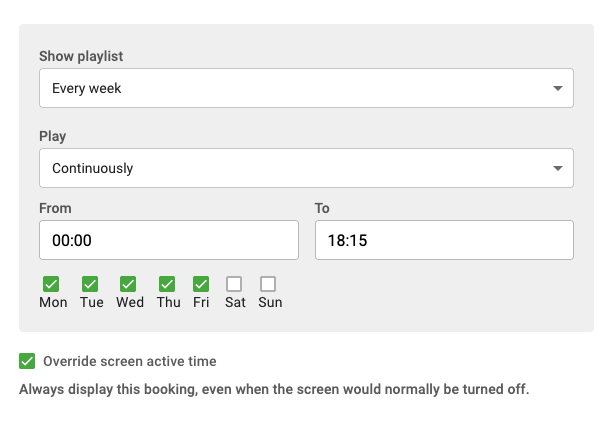
Normally, a screen's on and off times are controlled by Active Time settings. This is the preferred way to manage screen activity because it's an easy way to save energy and ensures that content scheduled outside of intended display hours is not shown.
However, there are situations where important content needs to be displayed outside the configured active hours. For example, special events, late-night promotions, or temporary activities may require the screen to show content even when it would normally be turned off. The Override screen active time option allows a specific booking to be displayed regardless of the screen's active time settings.
For example, a clothing store may host a late-night special event with exclusive discounts starting at midnight. Normally, the store's digital signage screens turn off at 22:00 according to their Active Time configuration. By enabling Override screen active time in the booking schedule for the event promotion, the screen will still display the content during the night, ensuring customers arriving for the special event can see the message.
- When Override screen active time is enabled in a booking schedule, the screen will display that booking even during hours when the screen would normally be turned off according to Active Time settings.
The feature is available to all users with permission to manage screens and requires no additional configuration to use. Note that regular publishers do not have permission to manage screens, and therefore not override active time. (Info: This post has been updated with additional information)